 11
11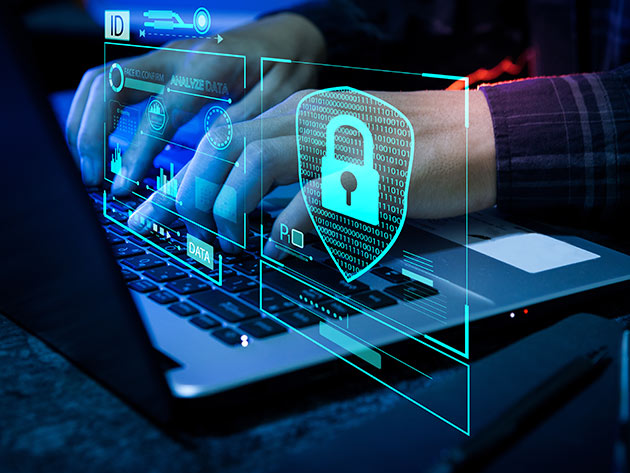
With so much connectivity, personal cybersecurity is a must, not an option, in today’s world. We are all heavily exposed to digital platforms in our daily lives, from online banking to shopping, but also social media and remote working. This convenience has many advantages, but it also presents opportunities for cyber attackers to exploit individuals through hacking, identity theft, phishing scams, and data breaches. Unfortunately, cybercriminals are getting more sophisticated and targeting not only the big boys but the little guys as well.
Personal Cybersecurity includes protective measures that you take to safeguard your devices, data, and online profile from unauthorized access or cyber threats. No matter if you’re a student, a professional, or a business owner, the steps you take to practice good cybersecurity can help minimize your likelihood of being a victim of a cyberattack. Simple measures such as having a robust password or keeping an eye on emails can have a significant impact.
In this article, we’ll dive into the world of personal cybersecurity and discuss best practices to keep you safe in such a constantly changing digital world. With these practical and effective tips, you can protect your sensitive information and have a safer online experience.
Strong and unique passwords are one of the simplest and best methods to secure online accounts. Everybody makes the wrong choice by using a password that’s easy to guess, like “123456” or “password,” and many of these are hackable in seconds.
A secure password should contain a combination of upper and lower case letters, numbers, and special characters. It should be at least 12-16 characters long, as well. Don’t use personal details like your name, date of birth, or phone number.
It is also important to use different passwords for each account. If it is known or guessed that one account is compromised, then having unique passwords for every account is a way to keep the other one safe. If you need to keep track of several passwords, you can use a password manager. These tools securely store your passwords and will generate complex passwords for increased security.
Two-factor authentication is an extra authentication step, in addition to the password. If someone does obtain your password, it will take them two steps to get access to your account.
Usually, 2FA requires you to receive a 1-time password via SMS, email, or an authentication app. The platforms also offer biometric verification, such as fingerprint and face recognition.
Setting up 2FA for key accounts like email, banking, and social media can help minimize the risk of unauthorized access. A basic but effective measure of protection.
One major way for cyberattacks to occur is through outdated software. Security bugs and enhancements to system performance are being addressed with frequent updates.
Regularly update your operating system, applications, and anti-virus. If you can, set up automatic updates to ensure you don’t miss out on important security fixes.
This is for all devices from smartphones to laptops, tablets, and even smart home devices. Maintaining an up-to-date status enables sealing any possible security loopholes that hackers could exploit.
One of the most common cybersecurity threats is phishing. Cybercriminals are adept at appearing to be from a trusted organization in an email or text message.
Never open links from an email or download attachments from people you don’t know. If someone claims that your account will get suspended or that immediate action is needed, this is a warning sign.
Hover over links to confirm where they will lead you. When it doesn’t sound right, it probably isn’t, so rather than responding, simply delete the email or reach out to the organization directly via official channels.
Wi-Fi hotspots provided in places like restaurants or airports are useful, but also can be insecure. These networks can be hacked, and your information can be put at risk.
Do not do online banking or other sensitive activities over public WiFi. If you do need to use it, you might want to use a Virtual Private Network (VPN). A VPN hides your Internet connection and makes it harder for any would-be hacker to access your data.
Make sure your Wi-Fi network is secured at home by ensuring you have a strong password and use encryption (WPA3 if available). Also, try to change the default username/password combination for the router to avoid unauthorized access.
Anti-virus software is an important component in preventing and identifying malware, ransomware, and other malicious threats. It will serve to safeguard your devices, watch for suspicious activity, and scan files.
Install a good antivirus software and update it regularly for optimal protection. In fact, many of the solutions are now designed to provide real-time protection, firewall integration, and phishing detection.
Although antivirus programs are a necessity, they need to be used alongside other cybersecurity measures to get the most out of your protection.
It’s easy to become prey to a cybercriminal if you post too much personal information online. Your address, phone number, or daily habits could be used in an identity theft or social engineering attack.
Check the privacy settings on social media pages; restrict access to personal information and posts. Take care of the information you post publicly, particularly sensitive information.
Also, steer clear of online quizzes and surveys that request personal data, because they may be gathering data for malicious reasons.
Data loss can happen from a variety of causes, including cyber attacks, hardware failure, or accidental deletion. Backups are essential for maintaining your important files in case of an emergency.
Backup with a mix of cloud storage and external hard drives. Set up automatic backups to ensure that you always have the latest copy.
If you get hit by ransomware, you can recover your files from a backup without paying a ransom, and you will save money and stress.
One of the fundamentals of personal cybersecurity is to keep an eye out for any odd activity on your accounts. Check for unfamiliar transactions, logins, or changes made to your account settings.
You can also configure alerts for your bank and email to warn you of suspicious activity. Early detection can help you take immediate action and minimize potential damage.
If you see anything suspicious, modify your password(s) right away and call the appropriate service provider.
Cybersecurity is continually evolving, and one of the best ways to keep yourself safe is to stay updated. Get familiar with phishing, malware, ransomware, and social engineering threats.
Keep up to date with cybersecurity blogs, news, or official guidance. The more you know, the more prepared you are to identify and prevent possible threats.
In the digital world, awareness and vigilance are your best defense.
Personal cybersecurity isn’t solely related to the use of advanced tools; it’s also about smart habits and being alert. To minimize the risk of cyber threats, you should follow best practices, including using strong passwords, enabling two-factor authentication, keeping software up-to-date, and being cautious online.
With the omnipresence of digital interaction, it’s essential to be responsible for your online safety. Cybersecurity isn’t a one-time event but an ongoing process. Technology is constantly changing, and so are the strategies used by cyber criminals, so it’s all-important to be proactive and up to date.
Today’s proactive steps toward your digital security tomorrow will help secure your personal information, financial assets, and peace of mind.